Bluetooth Pairing
In order to use the FPL with a GIS application on a phone or table, users should pair the device with their phone.
To create a Bluetooth connection, follow these steps:
-
Power the device on. Hold the () power button for more than 3 seconds. It will beep once, indicating it has turned on.
-
The Bluetooth icon () will blink indicating it is ready for a connection.
-
On your mobile device, connect to the Bluetooth device named
SparkPNT FPL-######; where,######is the last six characters of the device's ID labeled on the bottom of the device.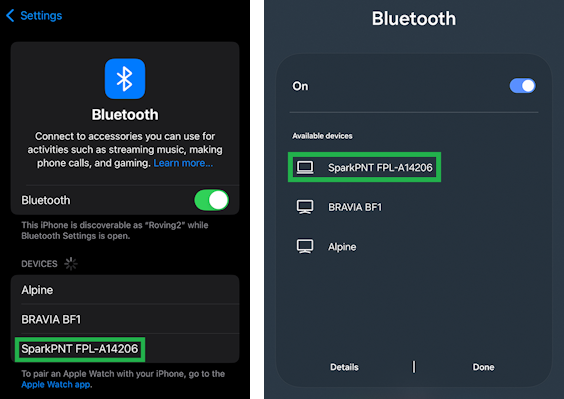
Bluetooth device list on iOS and Android -
Once paired, open your favorite GIS app to begin collecting coordinate data.