Diamond Maps
Diamond Maps is a great solution for utilities and municipalities. $20/month GIS software with many great features. Get the Android app here.
Be sure your device is paired over Bluetooth.

From the Home Screen, click on the hamburger settings button in the top left corner.
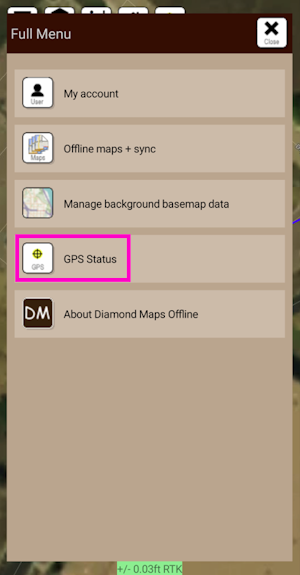
Select GPS Status.
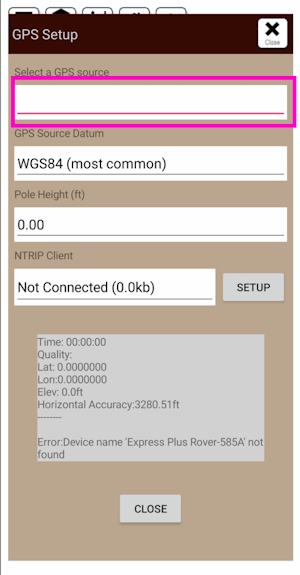
Click on the Select a GPS Source box and select the FPL that was previously paired with.
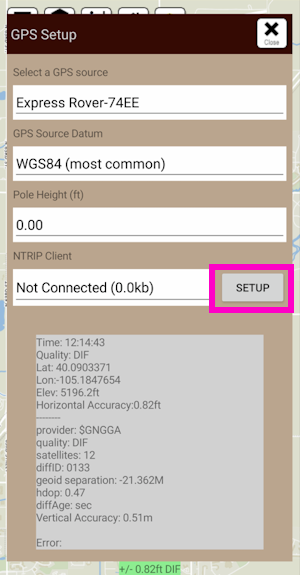
Once a receiver is selected, its status will be shown in the GPS Setup window. Additionally, an NTRIP Client is available for corrections.
NTRIP Client
If you’re using a serial radio to connect a Base to a Rover for your correction data, or if you're using the RTK Facet L-Band with built-in corrections, you can skip this part.
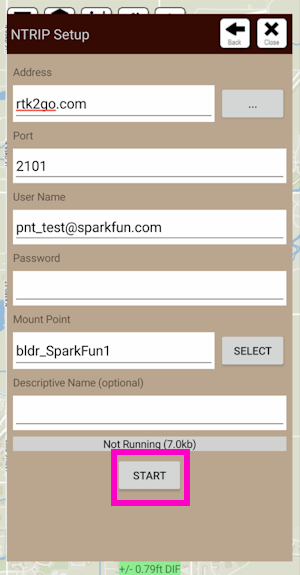
From this window, an NTRIP Client can be configured. Enter your NTRIP Caster information then click on START. Click Close to exit out to the main window.
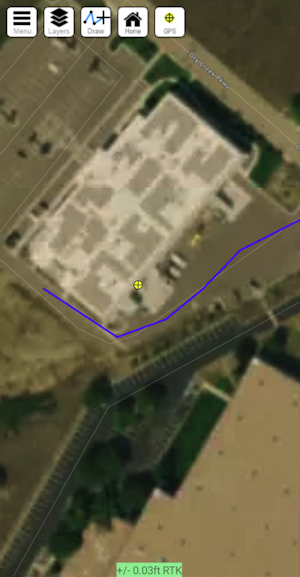
Closing the GPS Source window will show the map as well as the relative accuracy in feet.