Equipment Overview
The SparkPNT TX2 is a cost-effective, rugged, MFi certified, multi-band GNSS RTK surveying unit. The TX2 provides Bluetooth and WiFi connectivity to any mobile device, including Apple iOS devices with its MFi certification. This entire kit ships in a hard-sided case, including additional accessories, and a sticker.
- To start surveying positions, simply pair with the TX2 on any smartphone or tablet, open your preferred GIS app, and access their NTRIP corrections service using the internet/cellular connection of your mobile device.
- The SparkPNT TX2 can also operate as a base station, to broadcast RTCM corrections and function as an NTRIP Caster/Server.
- When working on a tight deadline, users can also implement our
Base Assistfunction to automatically configure the base station's position in minutes. Great for scenarios, where only relatively accurate measurements are required and not the absolute accuracy of their global position; such as surveying the layout of a building. - Using its WiFi capabilities, users can configure the TX2 to operate as an NTRIP Caster/Server on a local WiFi network, be used as an access point, or even connect to another SparkPNT device directly using the WiFi 2.4GHz transceiver.
- When working on a tight deadline, users can also implement our
With built-in HAS reception on the TX2, users can operate in remote locations with no cellular or internet access. These corrections require about 15 minutes for the PPP algorithm to converge on a solution that has better than 20cm (8 inches) of accuracy. The corrections are free, provided over the Galileo GNSS constellation, and have global coverage. If internet access is available at your worksite we still recommend using land-based corrections for much better accuracy and faster RTK Fix times. Consider HAS to be a slow but ok backup when there is no internet.
This is all housed in an IP67 rated enclosure and constructed with an anodized die-cast magnesium body and a plastic cap. The entire kit ships in a hard-sided case with all the accessories needed to start work. We've even included a thread adapter for use with more economic tripods.
The TX2 does not contain tilt compensation hardware. Check out our FP#-T models that feature built-in tilt compensation.
Parts List
The SparkPNT TX2 comes shipped inside a hard-sided carrying case with all the accessories need for users to get right to work. Below, is an overview of all the included parts:

- Carrying Case
- SparkPNT TX2
- USB-C Cable
- USB-C Charger (65W)
- Thread Adapter (1/4" to 5/8")
Carrying Case
The TX2 comes with a hard-sided case that includes two holes for pad locks (with shackles up to 6mm in diameter) to keep your equipment secure.

We recommend limiting the shackle diameter to less than 6mm; a 1/4" (6.35mm) shackle will not fit without modifying the case.
Product Overview
The TX2 features a rugged aluminum and plastic enclosure, helical GNSS antenna, high-capacity battery, 5/8" threaded base, and minimal user interface. The user interface is limited to a single button, one USB port, and three LEDs. Users can find the USB-C connector, located beneath a rubber cover on the back of the device. The enclosure is IP67 waterproof, but only if this cover is fully closed.
Enclosure
The TX2 features a rugged enclosure made of a cast magnesium body with a plastic cover around its embedded helical antenna. The enclosure is IP67 rated and is waterproof to 1 meter, for up to 30 minutes, when the USB cover is closed.
The device should not be considered as IP67 waterproof, if the rubber cover for the USB-C port is open. The rubber cover needs to be fully closed for the enclosure to qualify for the IP67 ingress protection rating.

GNSS Antenna
Underneath its fiberglass cover, the TX2 features a specially tuned multi-frequency (L1/L2/L5) embedded helical antenna and 2.4GHz BLE/WiFi extension antenna.
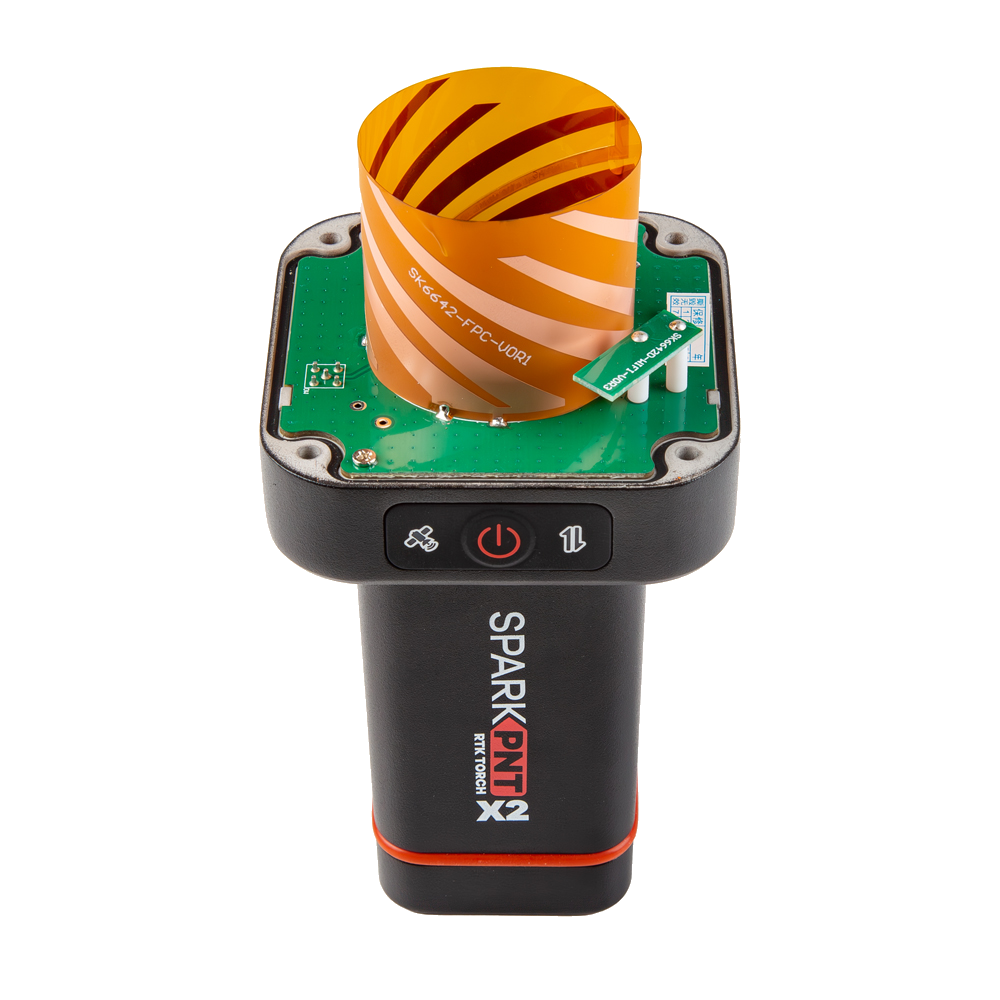
Don't forget that GNSS signals are weak and can't penetrate buildings or dense vegetation. The GNSS antenna should have an unobstructed view of the sky.
APC and NRP
The threaded mounting point at the bottom of the device serves as the device's ARP (antenna reference point). Additionally, the user interface's power button (front of the device) serves as the device's NRP (north reference point). The TX2 has been calibrated by the NGS and the ANTEX and ANTINFO files are available.
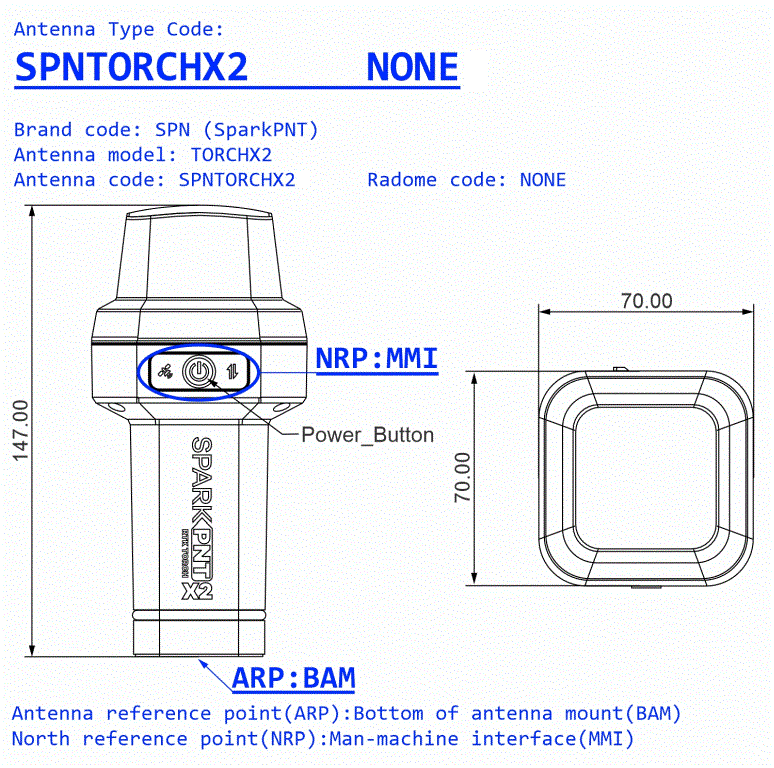
The distance between the ARP on the TX2 to the L1/L5 APC (antenna phase center) is 131.7mm and 126.2mm to the L2 APC. When calculating the total instrument height (pole length + APC), it is recommended to use the average between the L1 and L2 APCs which is 128.95mm. A common pole length is 1.8m, with an APC of 128.95mm the total instrument height is 1.9262m. Enter this value into your GIS app to obtain the altitude of the point at the tip of the pole rather than the altitude at the antenna element.
Mount Point
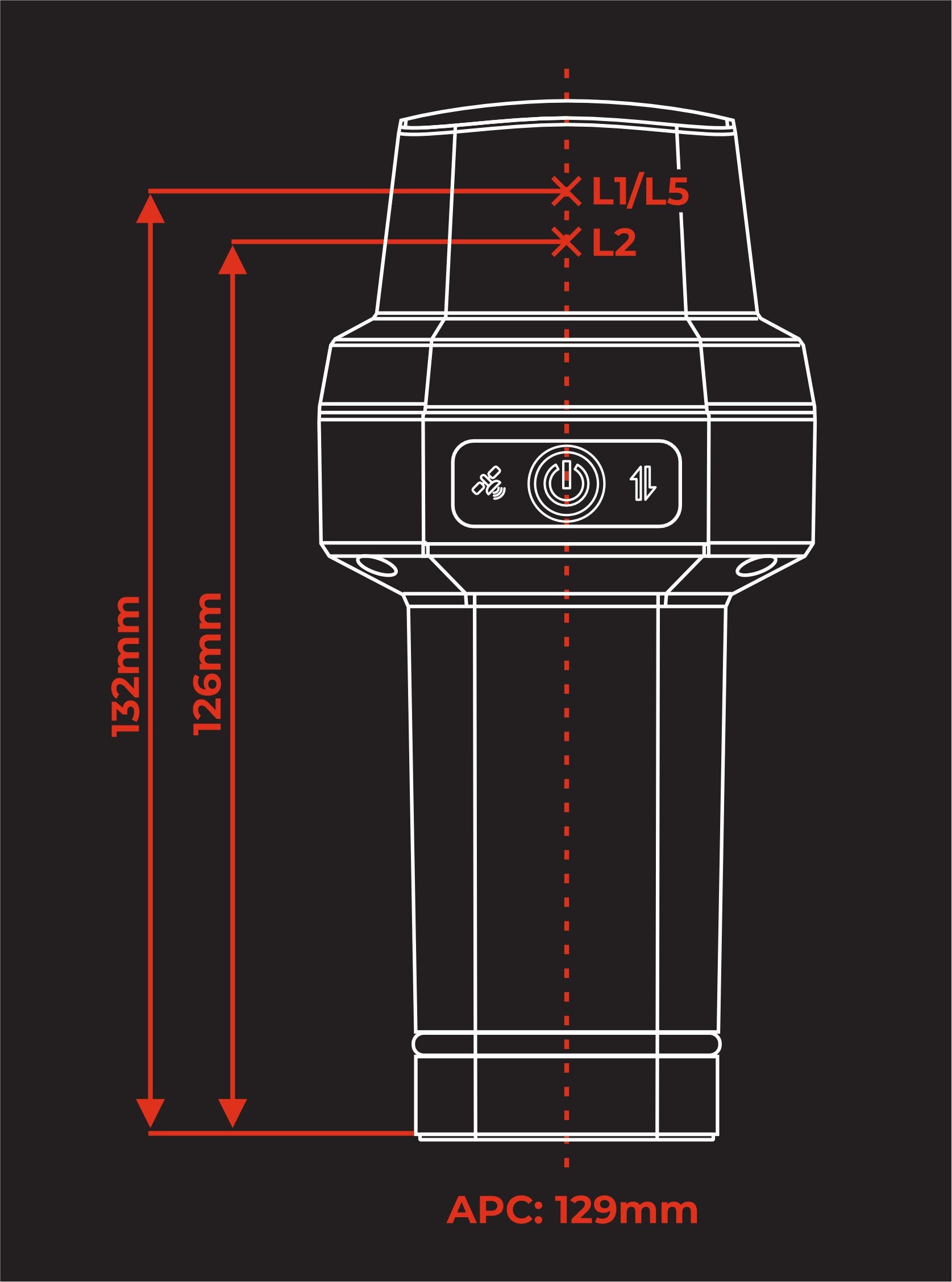
The bottom of the TX2 features a standard 5/8"-11 TPI threaded mount point. This is commonly found on surveying equipment and is compatible with most surveying poles. For additional mounting options (ie, camera camera mounts and tripods), the kit includes a 1/4" adapter.

The center of the threaded insert, on the plane of the device's base, serves at the ARP (antenna reference point) for the device.
Power and Battery
Power Button
To power the device on or off, hold the () power button down for more than 3 seconds. When the device powers on, it will beep once; whereas, the device will beep three times when it powers down.
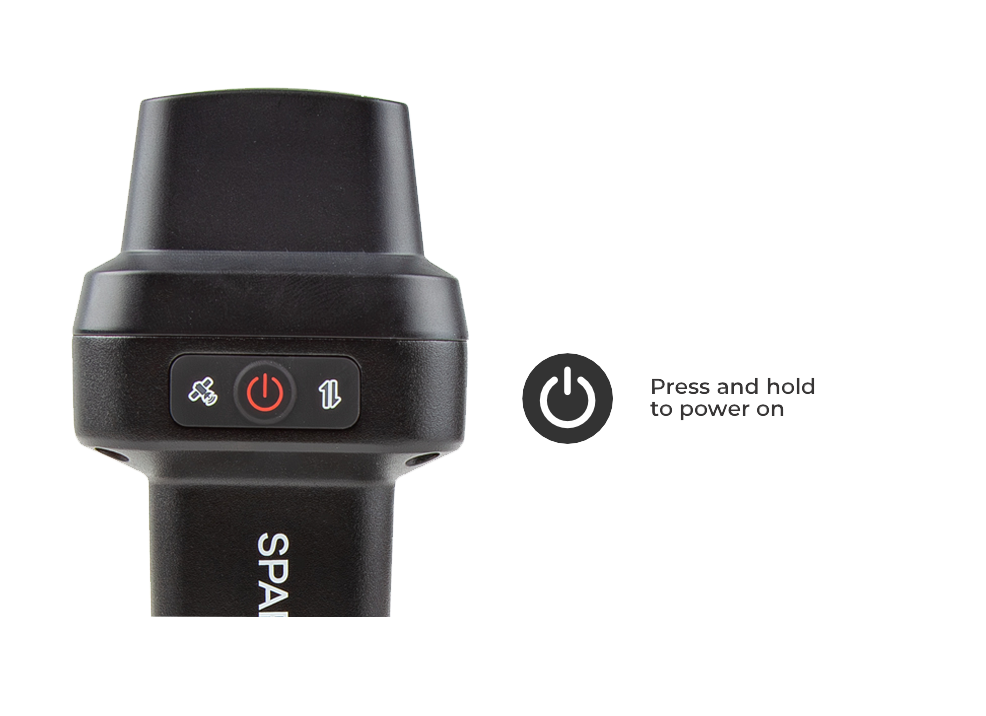
The center of the power button also serves at the NRP (north reference point) for the device.
Battery and Charging
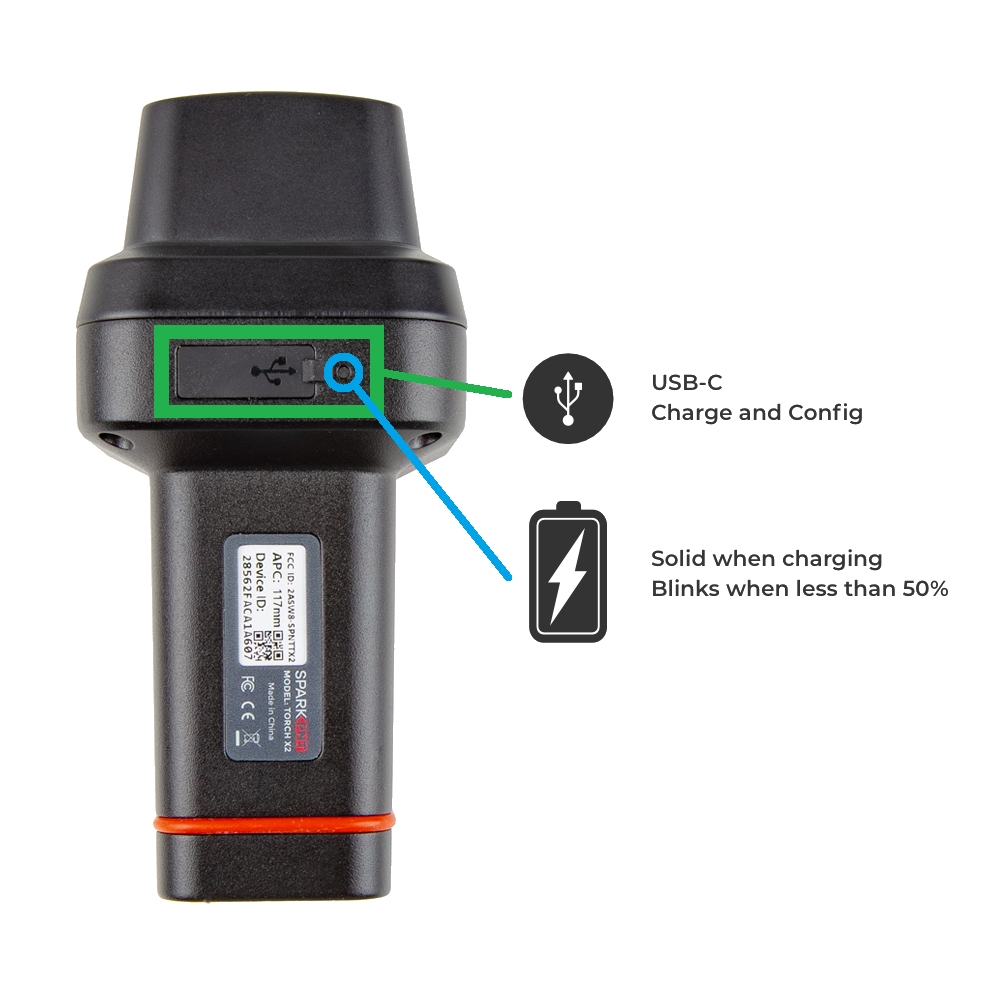
- Battery Charging - The TX2 supports PD charging up to 10W; this allows a fully discharged TX2 to be charged to 100% in a few hours. A red LED on the front display will turn on during charging and turn off when complete. A fully dead battery can be recharged in about 24 hours. Users can access the USB-C port, under the rubber cover on the back of the device.
tipDon't forget to fully close the rubber cover. The enclosure's IP67 ingress rating (waterproof to 1 meter, for up to 30 minutes), is only valid when the USB cover is closed.
- Battery Capacity - The TX2 includes a 7.2V 6.8Ah (48.96Wh) battery. This should allow the device to run continuously for more than 50 hours, even in the worst-case conditions.
USB Port
Users can access the USB-C port, under the rubber cover on the back of the device.
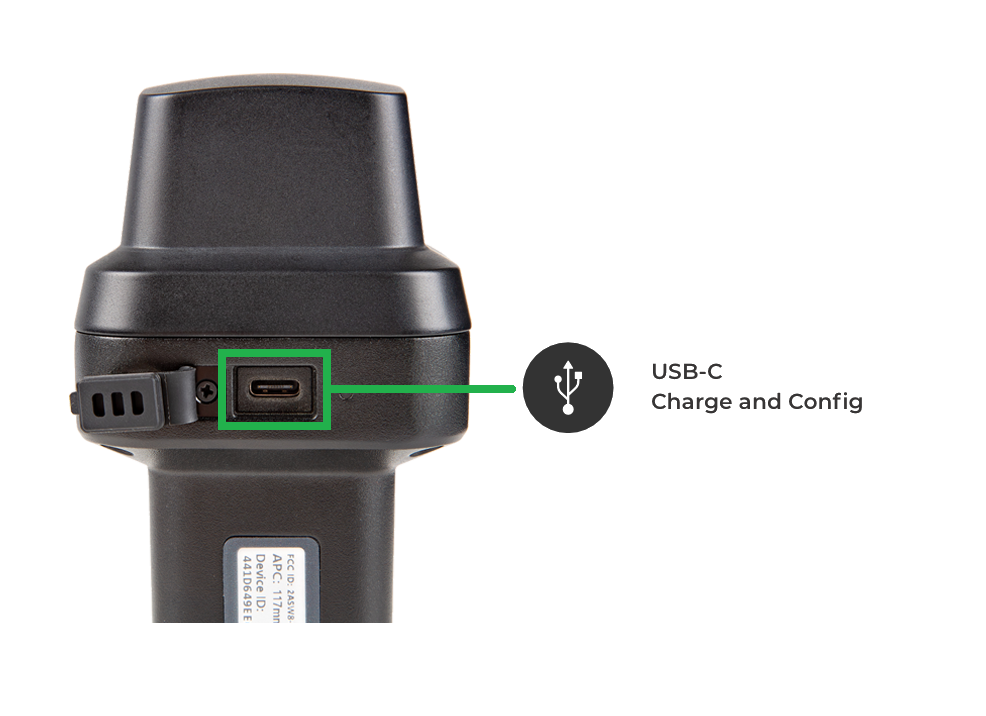
Don't forget to fully close the rubber cover. The enclosure's IP67 ingress rating (waterproof to 1 meter, for up to 30 minutes), is only valid when the USB cover is closed.
- In most cases, the USB-C post will be accessed to charge the battery. The TX2 supports PD charging up to 10W; this allows a fully discharged TX2 to be charged to 100% in a few hours.
- For more advanced users, this port can be utilized to configure the TX2, update the device and GNSS receiver firmware, and/or retrieve a diagnosis report for troubleshooting.
When connecting to the USB interface of the SparkPNT TX2 to a computer, the device should automatically be detected as two COM ports. If the ports are not detected then users will need to install a USB driver to access the data or configure any settings.
The USB drivers for the CH342 USB-to-Serial converter can be downloaded below:
- Windows: Download the
CH343SER.EXE - MacOS: Download the
CH341SER_MAC.ZIP - Linux: A USB driver is not required for most Linux based operating systems
Indicators
The TX2 also features three LED status indicators and an internal buzzer for audio feedback to the user.
Status LEDS
There are three LED status indicators on the TX2.
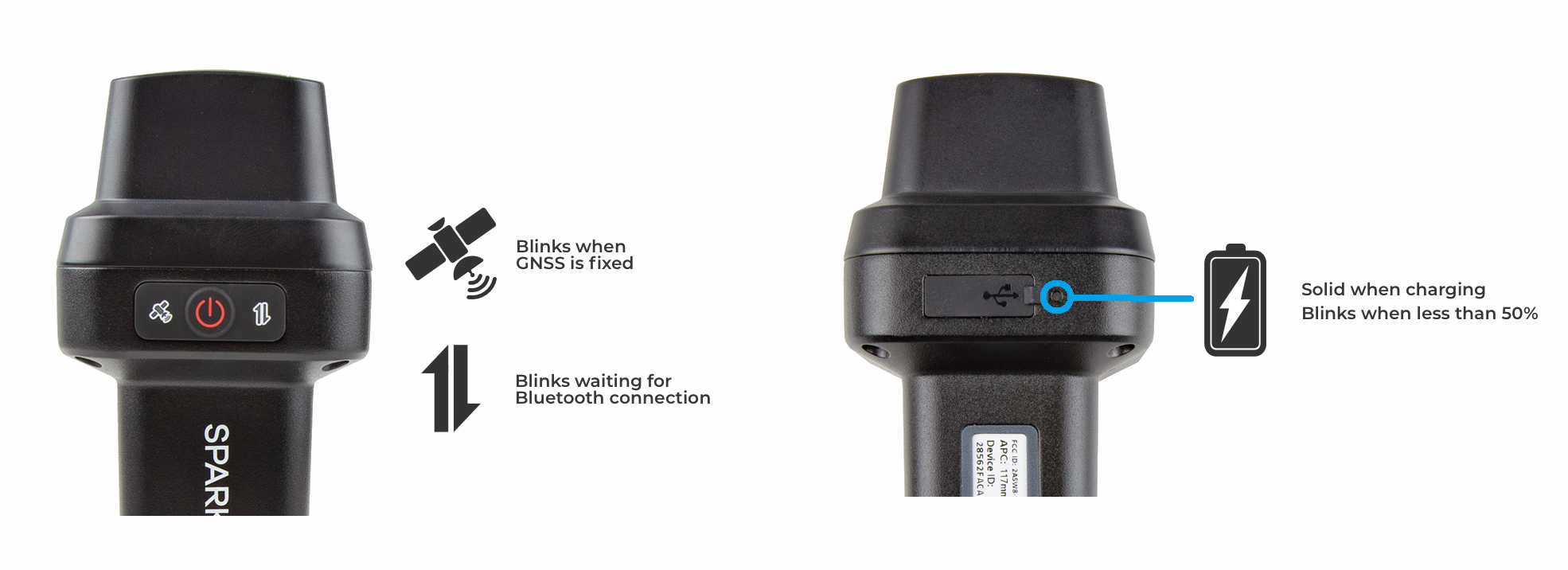
- The GNSS icon () indicates the GNSS solution status.
- A yellow LED will blink once per second when a GNSS fix is achieved.
- A green LED will illuminate solid when RTK Fix is achieved.
- The Connection icon () indicates the WiFi or BLE connection status.
- The LED blinks once per second while waiting for a connection.
- The LED will turn solid, once it is connected to a phone, laptop, WiFi network, etc.
- There is a small battery LED next to the cover of the USB port, on the back of the device.
- The LED is green when external power is supplied.
- When the device is on:
- The LED will be solid red indicating more than 50% battery capacity remains.
- The LED will blink red once per second, if less than 50% of the battery capacity remains.
Buzzer
The TX2 also includes an internal buzzer that provides audio feedback for the user. The following prompts are provided:
- Power On: Beep once
- Power Off: Beep three times
- Awaiting a Connection: Beep twice
Specifications
Below are the full specifications for this device:
- LG290P GNSS Receiver
- Supported Frequency Bands
- GPS: L1C/A, L1C, L2C, L5
- GLONASS: L1, L2
- Galileo: E1, E5a, E5b, E6
- Beidou: B1I, B2I, B3I, B1C, B2a, B2b
- QZSS: L1C/A, L1C, L2C, L5, L6
- NavIC: L5
- SBAS: L1
- Accuracy:
- SPP:
- Horizontal: 0.7m
- Vertical: 2.5m
- RTK:
- Horizontal: 8mm + 1ppm
- Vertical: 15mm + 1ppm
- SPP:
- Time to Fix: <28s
- Supported Frequency Bands
- Antenna
- L1, L2, L5, L6
- Gain: ≥2.3dBi
- APC (NGS Calibrated):
- L1/L5: 131.7mm
- L2: 126.2mm
- Average: 129.0mm
- WiFi/Bluetooth (SPP and BLE)
- 2.4GHz
- L1, L2, L5, L6
- Enclosure
- Ingress Protection: IP67 (1m of water for 30 minutes)
- Materials: Magnesium body w/ plastic cap
- Single push button control
- Three LED indicators
- USB-C port w/ rubber cover
- Battery
- Specs: 7.2V 6800mAh (48.96Wh)
- Charging: up to 10W (2A max)
- Run Time: 50hrs
- Dimensions: 71 x 71 x 147mm (2.8 x 2.8 x 5.8in)
- Weight: 423g (0.93lbs)