Corrections Services
Users can pro
Priorities
To achieve an RTK Fix, SparkFun RTK products must be provided with a correction source. An RTK device can obtain corrections from a variety of sources. Below is the list of possible sources (not all platforms support all sources) and their default priorities. These defaults generally follow the rule that a shorter baseline between Rover and Base leads to more accurate, and therefore more valuable, correction data:
- External Radio (100m OSR Baseline) - Two packet radios communicating directly between a Rover and Base
- ESP-NOW (100m OSR Baseline) - Two RTK devices communicating directly between a Rover and Base over the built-in 2.4GHz radios
- Bluetooth (10+km OSR/SSR Baseline) - A Rover obtaining corrections over Bluetooth to a phone/tablet that has an NTRIP Client
- USB (10+km OSR/SSR Baseline) - A Rover obtaining corrections over USB to a phone/tablet that has an NTRIP Client
- TCP (NTRIP) (10+km OSR/SSR Baseline) - A Rover obtaining corrections over WiFi to a NTRIP Caster
- L-Band (100km SSR Baseline) - A Rover obtaining corrections from a geosynchronous satellite
- IP (PointPerfect/MQTT) (100+km SSR Baseline) - A Rover obtaining corrections from an SSR type correction service over WiFi or cellular
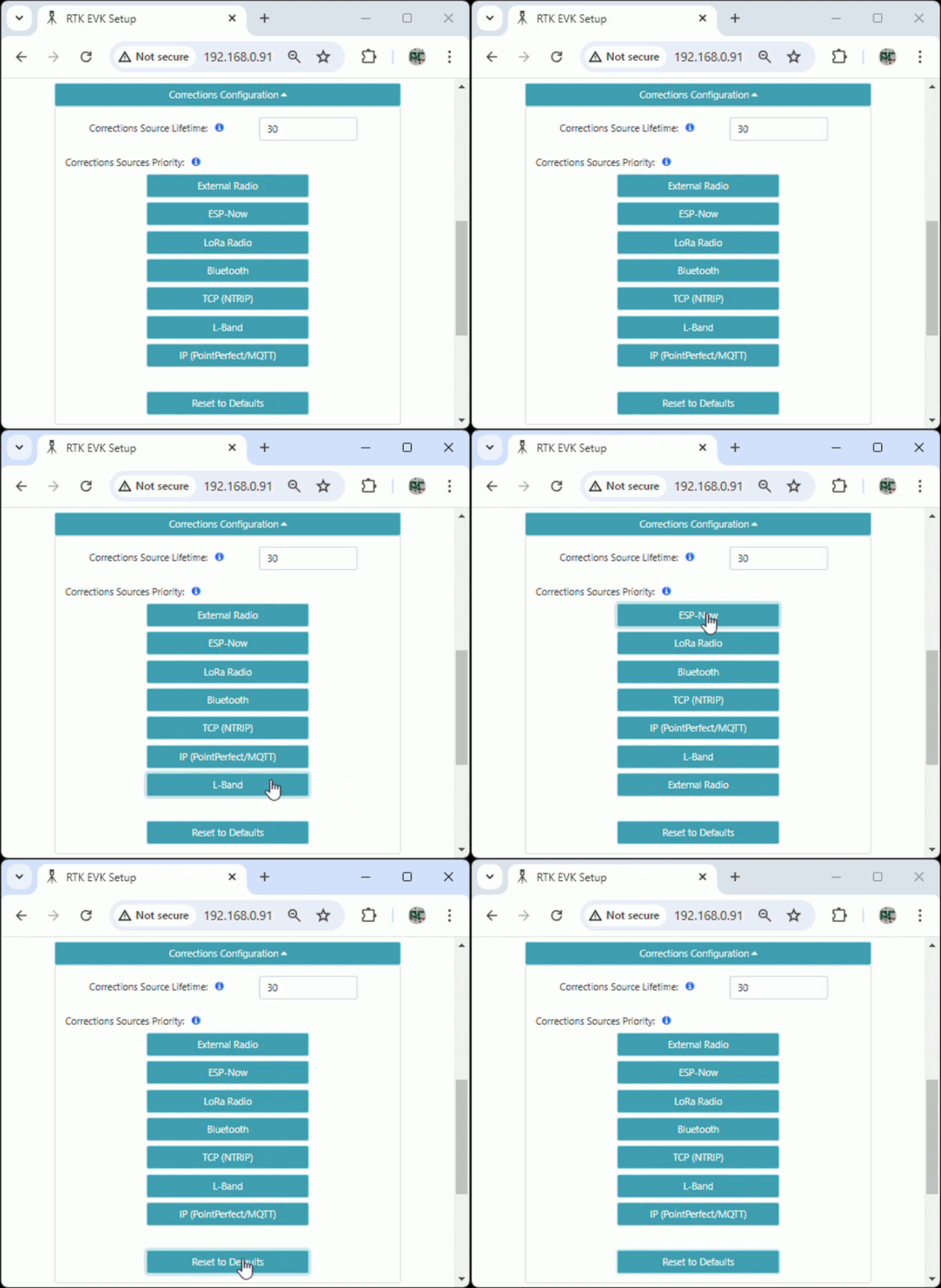
The Corrections Priorities menu allows a user to specify which correction source should be given priority. For example, if corrections are provided through ESP-NOW and IP PointPerfect simultaneously, the corrections from IP PointPerfect will be discarded because the ESP-NOW source has a higher priority. This prevents the RTK engine from receiving potentially mixed correction signals.
In the web config page:
- Clicking a source increases its priority
- Clicking the highest priority source makes it the lowest priority
- Clicking
Reset to Defaultswill restore the priorities to their default setting - Click
Save Configuration, thenExit and Resetto save the changes
Please see Correction Sources section of the RTK Everywhere Firmware manual for a description of how to obtain corrections.